

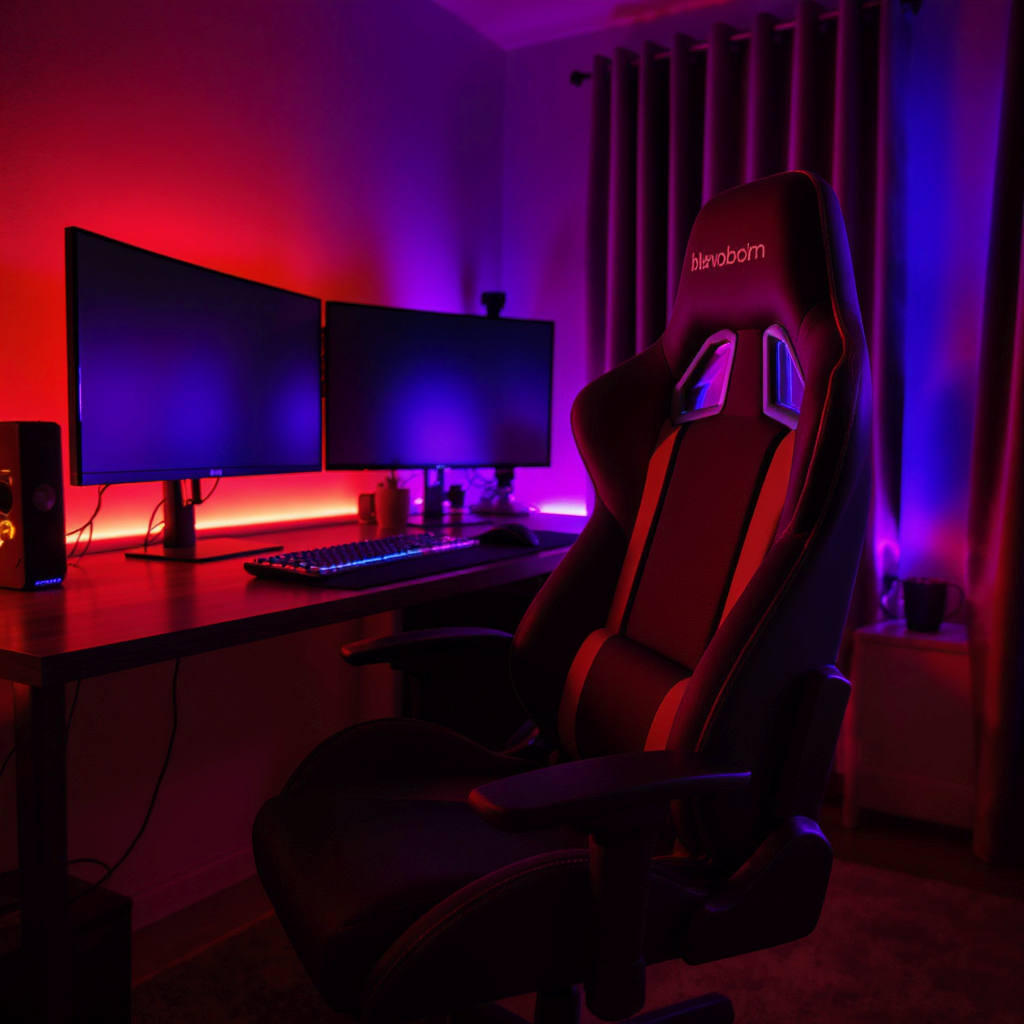
My Journey to a Dream Gaming Room on a Budget
Like many of you, I’ve always dreamed of a dedicated gaming room. A personal sanctuary to lose myself in virtual worlds. But the high cost of gaming gear was a major obstacle. I wanted to create a great space without a massive budget. My solution? A challenge: build the entire room using only products from Amazon Basics. This wasn’t just about saving money. It was about proving you can have a top-tier setup for less. In this post, I’ll share my exact process. I’ll show you the products I used and the strategies I followed. The goal is to show you how to build a gaming room with Amazon Basics that’s both functional and stylish. Let’s get started.
Building the Foundation: Desks, Chairs, and Ergonomics
The core of any gaming setup is the desk and chair. This is where you’ll spend countless hours, so comfort is key. For my desk, I chose the Amazon Basics Gaming Desk with a monitor stand. It’s sturdy and offers plenty of space. The built-in monitor stand was a huge plus. It raised my screens to eye level, which is vital for good ergonomics. I recommend checking out some expert-backed advice on posture to avoid strain. For my chair, I skipped expensive “gaming” chairs. I chose the Amazon Basics High-Back Executive Chair instead. It has great padding and adjustable lumbar support. It felt as good as many gaming-branded chairs, but cost much less. This proves you should prioritize function over brand name when on a budget.
To further enhance the setup, I added a few more items. I used an Amazon Basics Monitor Mount. This freed up even more desk space. I also added a large mouse pad for better mouse movement. These small additions made the space feel organized and professional.
Essential Peripherals and Ambiance: The Details That Matter
With the furniture in place, I moved to the peripherals. This is where usability and aesthetics come together. I selected the Amazon Basics Mechanical Gaming Keyboard for its satisfying feedback and durability. The Amazon Basics Programmable Gaming Mouse gave me the customization I needed. For audio, I chose the Amazon Basics Lightweight Stereo Headset. It delivered surprisingly clear sound and was comfortable for long sessions. These products are reliable and high-performance. You don’t need to pay a premium for a brand name.
“A well-organized and aesthetically pleasing gaming space can significantly improve focus and immersion.”
Creating the right atmosphere is also crucial. I used the Amazon Basics USB-Powered LED Light Strip. It added great ambient lighting behind my monitors. This simple addition transformed the room’s feel. It made it immersive. According to experts, ambient lighting can reduce eye strain. If you’re looking for more ways to optimize your gaming lifestyle, you might find some effective diet tips on our site. I’ve also been thinking about a more advanced setup and found great inspiration by building my dream gaming setup room.

Putting It All Together: Final Touches and Conclusion
The final step was cable management. A cluttered desk can ruin a setup. I used Amazon Basics Cable Management Sleeves and Adhesive Cable Clips. I spent an afternoon routing all the wires. This made a huge difference. The final result was a clean, professional look. My completed gaming room looked like it cost thousands. But it was built entirely with Amazon Basics products. It was comfortable, functional, and visually stunning. This project proved that with creativity and resourcefulness, anyone can create their ideal gaming space. You don’t need a huge investment.
I hope my experience inspires you. The goal isn’t to buy the most expensive gear. It’s to build a space that you love. A space that enhances your gaming experience. This guide on how to build a gaming room with Amazon Basics proves that great results are within reach for everyone. Happy gaming!
- Desk: Amazon Basics Gaming Desk with Monitor Stand
- Chair: Amazon Basics High-Back Executive Chair
- Peripherals: Amazon Basics Mechanical Keyboard, Programmable Mouse, Stereo Headset
- Lighting: Amazon Basics USB-Powered LED Light Strip
- Organization: Amazon Basics Cable Management Sleeves